Releases:
Explore the latest feature and updates to enhance your CloudLabs experience:
Section | Link |
|---|---|
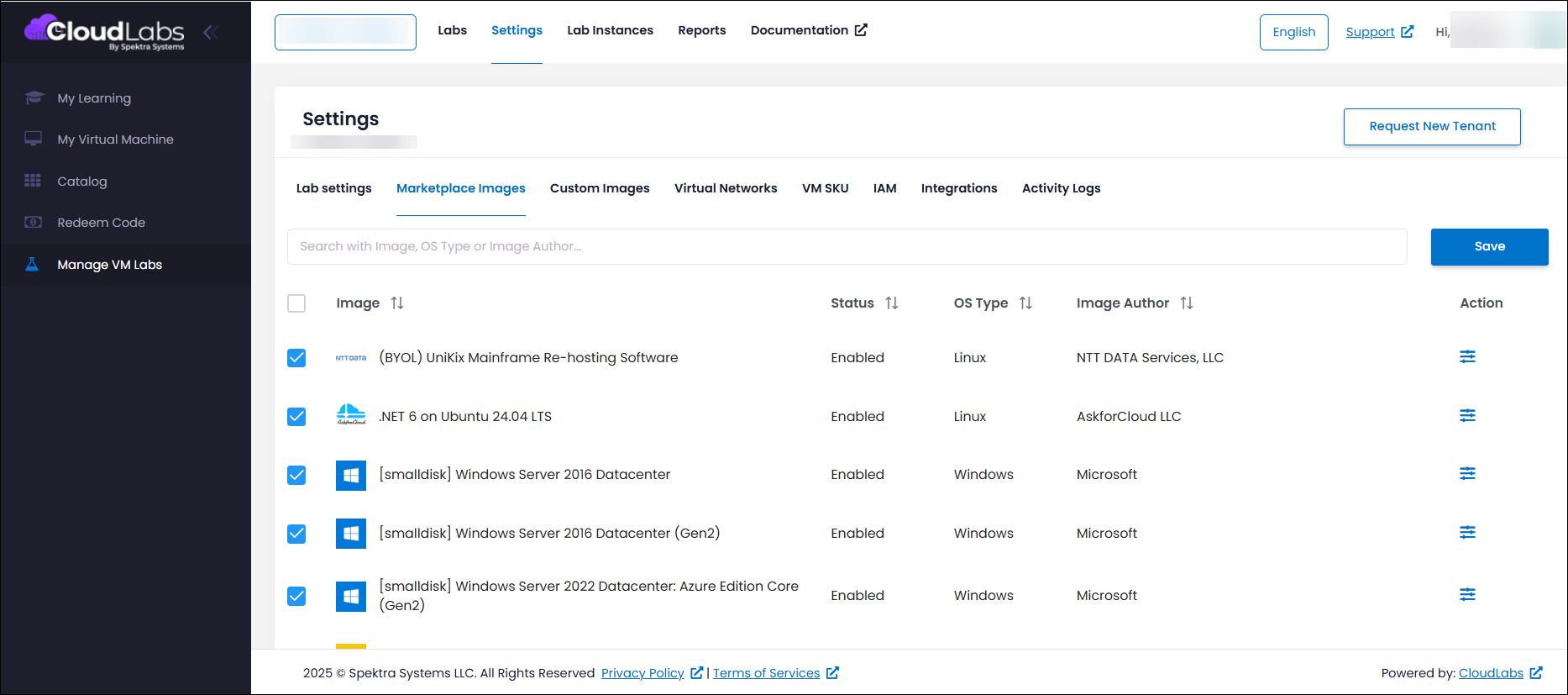
Search Result Accuracy for Marketplace Image Names | |
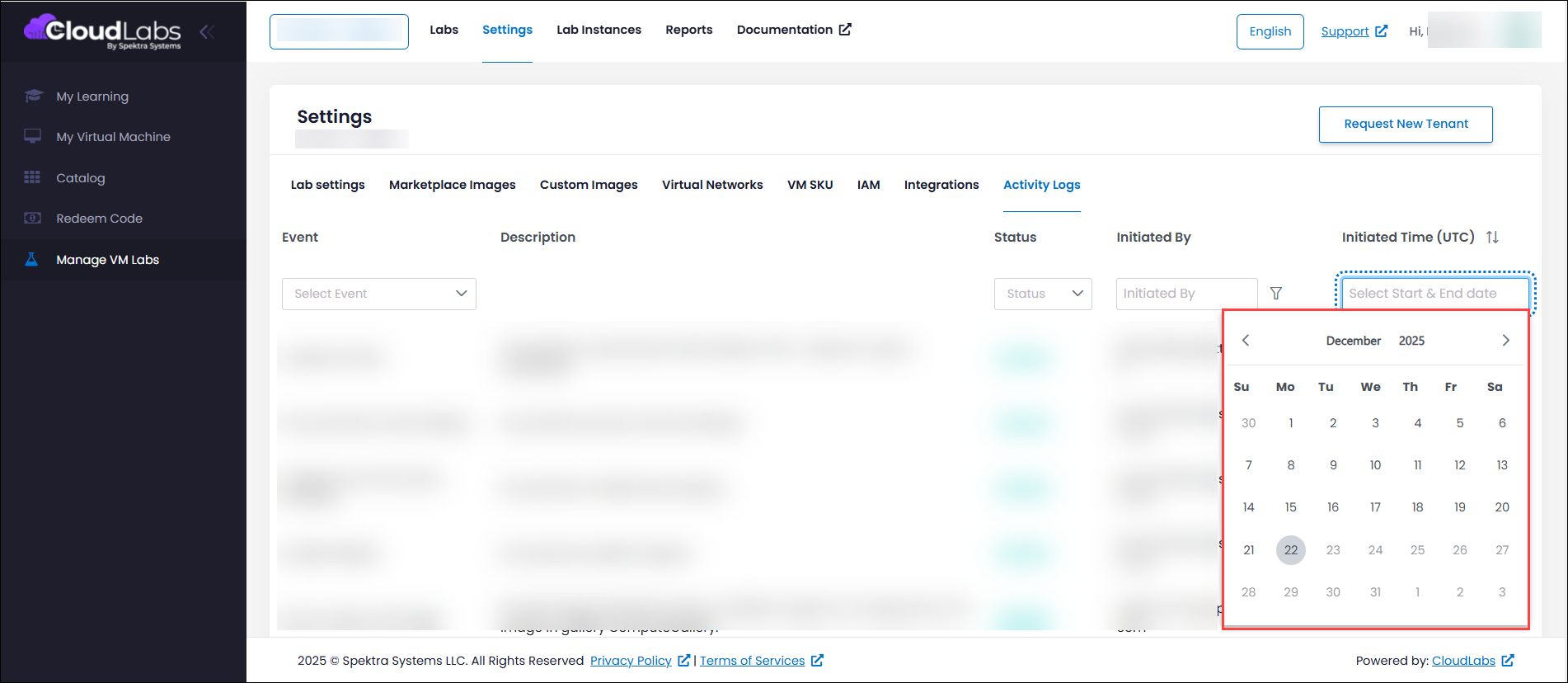
Future Date Restriction in Activity Log Filters | |
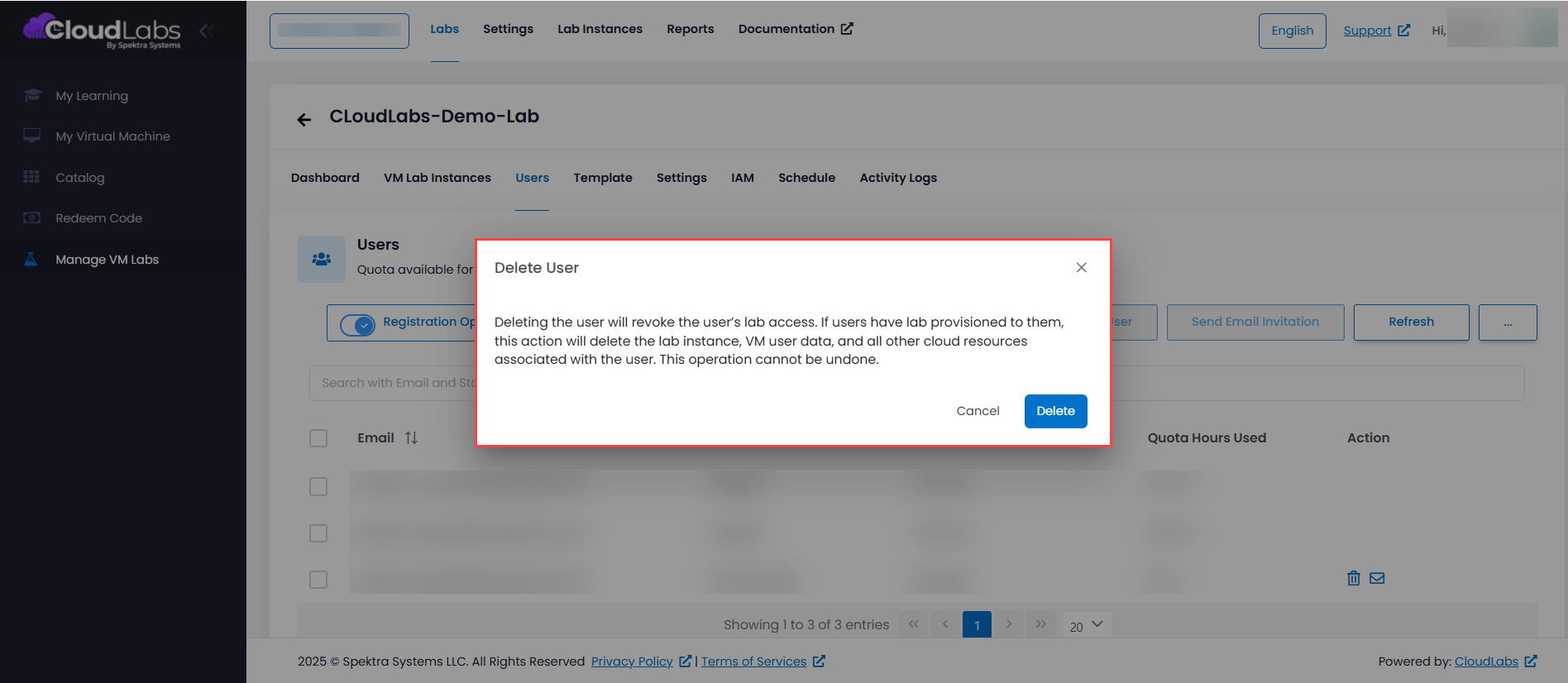
Updated Message for User Deletion Workflow | |
Unified Visibility of User Deletion Records | |
Enforcement of Template VM Quota Thresholds | |
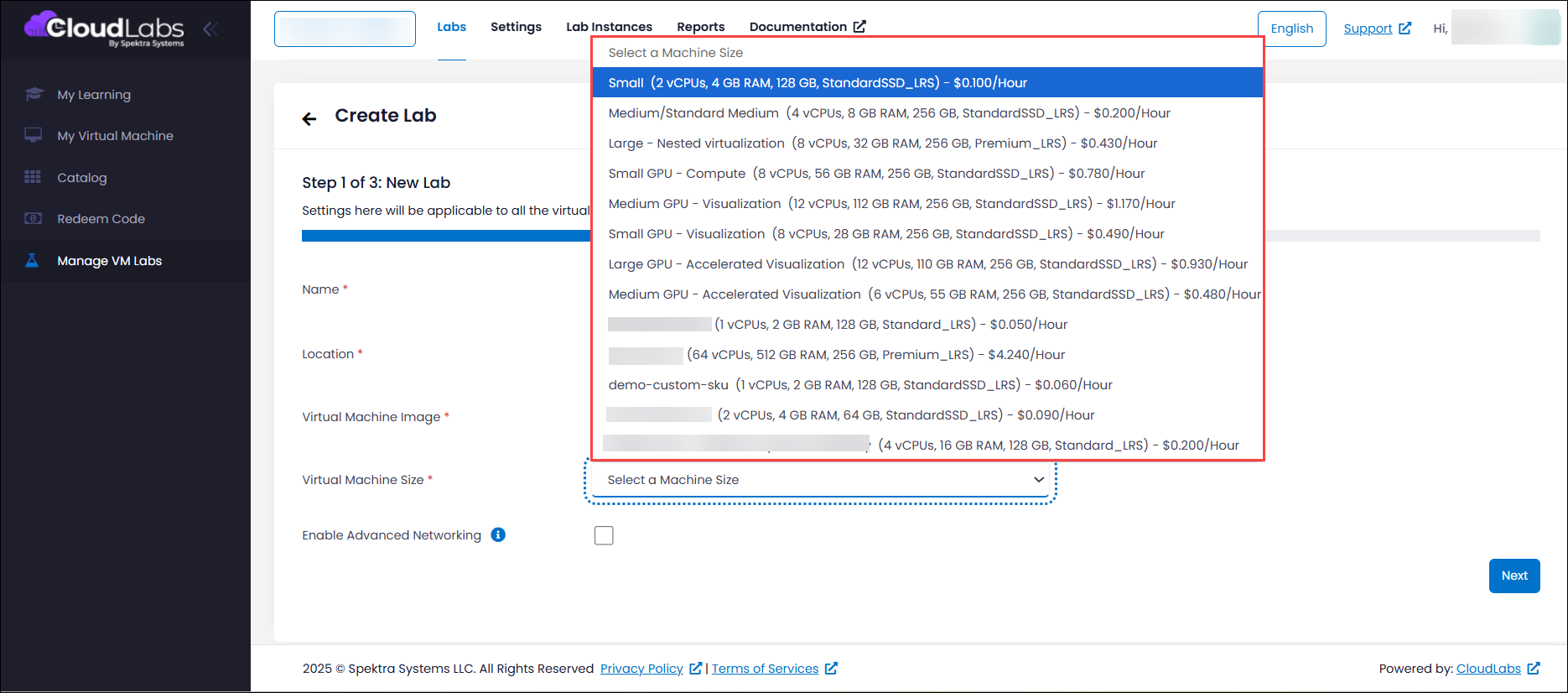
Display RAM Specifications for VM SKUs During Lab Creation |
Search Result Accuracy for Marketplace Image Names
Search functionality in the Marketplace Images has been enhanced to improve accuracy and discoverability. Marketplace images that previously did not appear in search results, even when their full names were entered, are now correctly indexed and displayed. This ensures that images with long or complex names can be easily found, providing a smoother and more reliable search experience for users.
Future Date Restriction in Activity Log Filters
The date selector in Activity Log filters has been enhanced to disable future dates for both the start and end fields. This ensures that only valid historical date ranges can be selected, improving clarity for users and aligning log queries with the system’s expected behaviour for accurate activity tracking.
Updated Message for User Deletion Workflow
The confirmation message shown during user deletion has been enhanced to provide clear and explicit information about the impact of the action. Administrators are now clearly informed that deleting a user will immediately revoke their access and permanently remove all resources associated with that user, including VM instances and all related cloud resources. The updated message emphasizes that this is a permanent and irreversible action, ensuring administrators fully understand the consequences before proceeding. This improvement helps prevent accidental deletions, promotes informed decision-making, and strengthens overall administrative control and clarity.
Unified Visibility of User Deletion Records
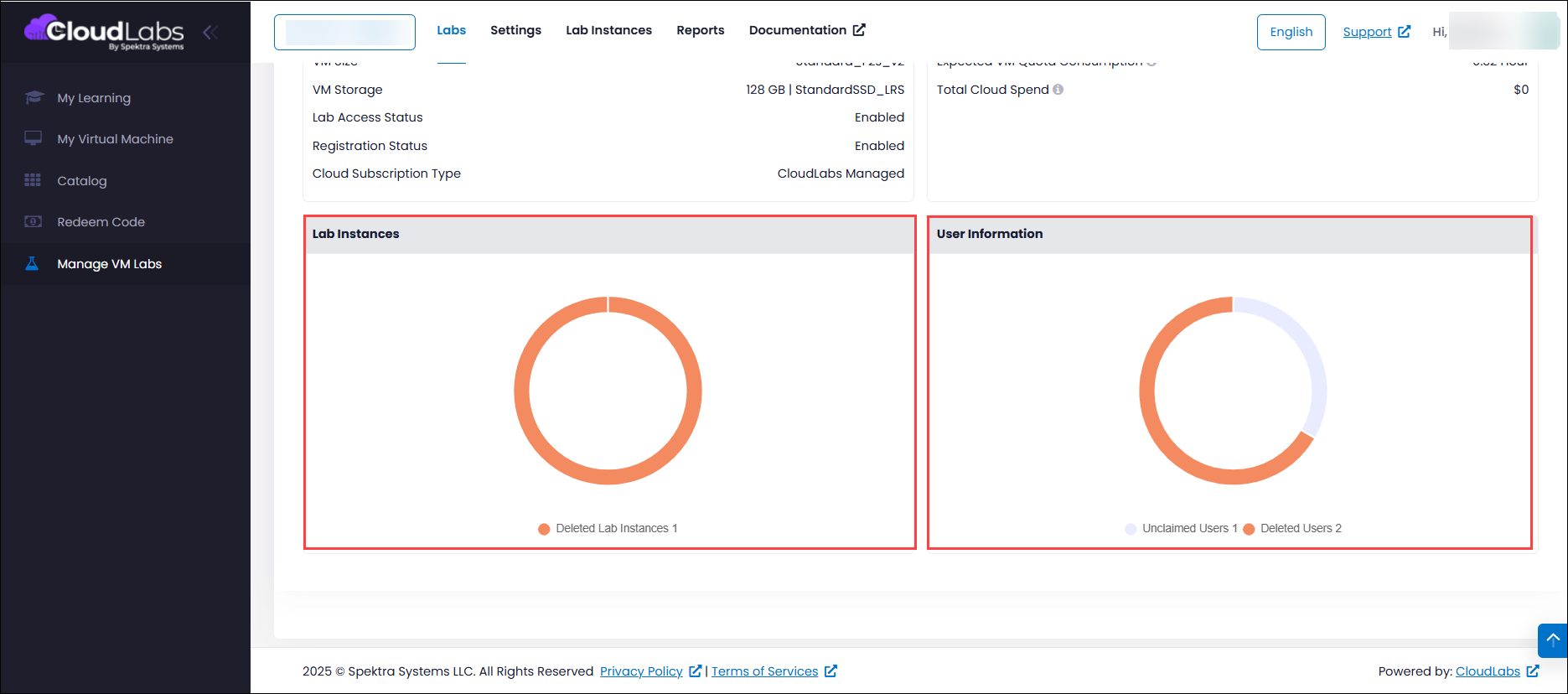
Deletion records are now displayed consistently for all users, including those who never claimed or launched lab instances. This enhancement ensures complete traceability of all deletion events, providing a comprehensive audit trail regardless of user activity. As a result, dashboard visibility is now fully aligned with deletion metrics across all user scenarios, delivering more accurate reporting, improved transparency, and greater confidence in administrative insights.
Enforcement of Template VM Quota Thresholds
We’ve addressed an issue where template virtual machines (VMs) could be started even after the assigned quota limit was exceeded, which could result in unintended resource usage and inconsistency with defined quota policies. With this fix in place, quota enforcement is now applied accurately to template VMs as well. Once the quota threshold is reached, users will no longer be able to initiate template VMs, ensuring resource consumption stays within approved limits. This improvement brings stronger governance, predictable resource management, and better alignment between system behaviour and quota controls.
Display RAM Specifications for VM SKUs During Lab Creation
RAM details for VM SKUs in the lab creation workflow are now fully available across all configurations. Previously, RAM specifications were visible only for a limited set of SKUs, which restricted visibility during selection. With this update, RAM values are displayed for all VM SKUs, including custom configurations, giving users complete and consistent hardware information and enabling more informed decisions during lab creation.