Releases:
Explore the latest feature and updates to enhance your CloudLabs experience:
Section | Link |
|---|---|
Download Connection File Configuration | |
Lab Instance View for Users with Tenant Level Access | |
Hot Instance Lifetime Setting | |
Enhanced VM Status Tracking | |
Language and Localization Enhancements | NA |
Download Connection File Configuration
Admins can now choose whether to hide or disable the Download Connection File option for both attendees and admins. This control is applied at the VM level and can be configured while creating a lab, as well as from the My VM page and the Lab Instance view. By allowing admins to decide when this option should be available or restricted, this enhancement provides better control over how users access virtual machines and helps align lab access requirements.
This is a VM-level configuration, applicable during:
Create Lab workflow
My VM Page
Lab Instance view
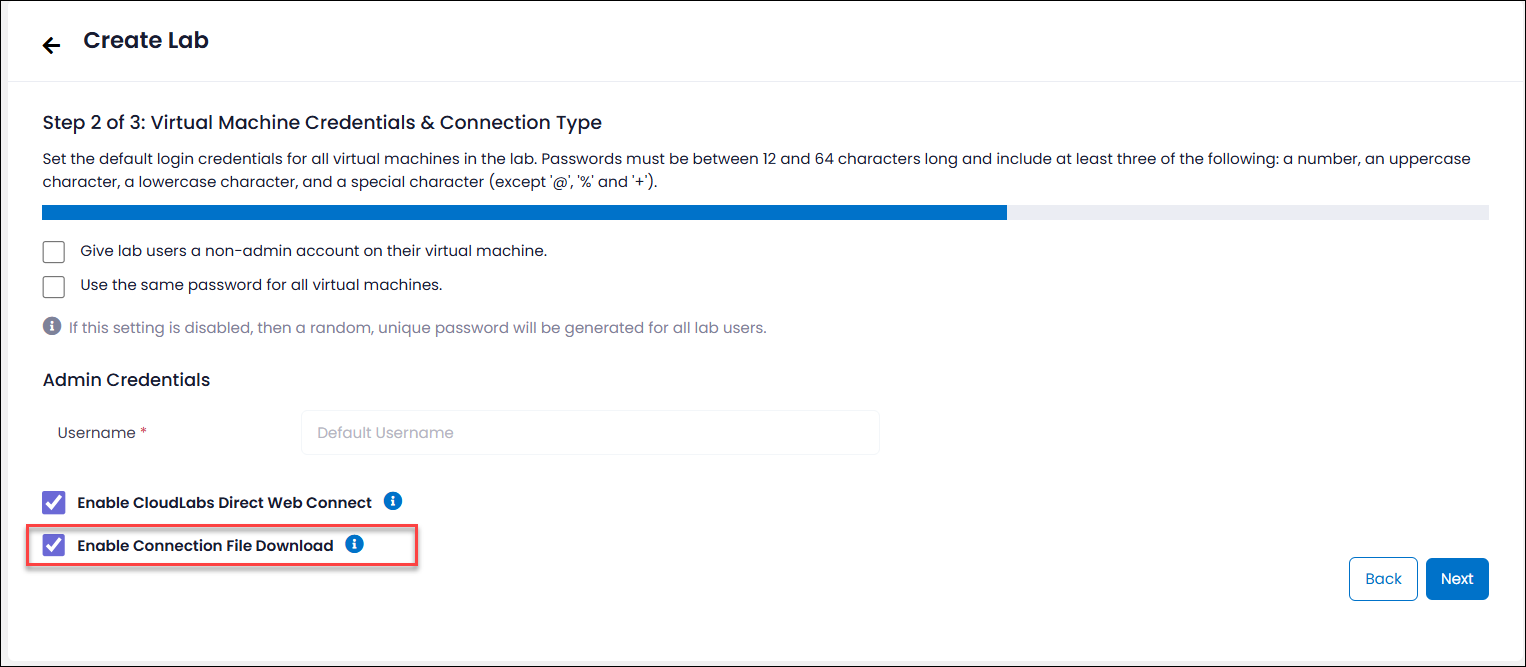
Since CloudLabs already supports direct RDP over HTTPS, organizations that have Direct Web Connect disabled can choose to disable or hide the RDP connection file when it is not required. This allows users to continue accessing virtual machines securely through the browser while giving administrators greater control over connection methods and reducing unnecessary dependency on downloadable connection files.
Lab Instance View for Users with Tenant Level Access
Users with tenant level access can now view all VM instances across the tenant from the Lab Instances tab. This centralized view consolidates VM details from all labs in one place and includes interactive filters for quick analysis, simplifying large-scale monitoring, resource tracking, and effective tenant-wide lab and VM management.
Enhancements include:
Unified view of VM instances across lab deployments
Advanced filters for easier tracking
Status filters include: Succeeded, Failed, Deploying, Deleted, etc.
Provides option to delete VM instances individually
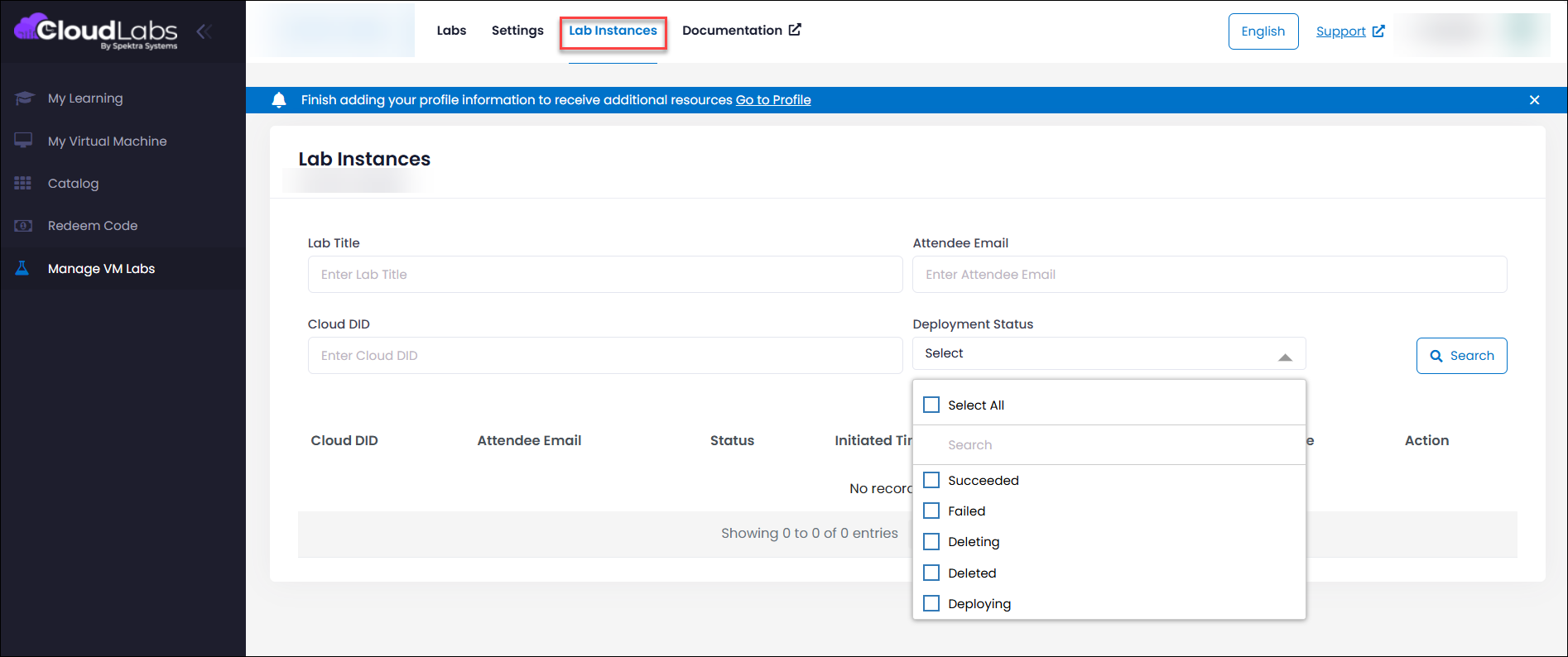
This enhancement delivers improved visibility and stronger lifecycle control, enabling more efficient monitoring, governance, and management of labs and virtual machine resources at scale.
Hot Instance Lifetime Setting
The new Hot Instance Lifetime feature allows administrators to define how long unassigned VM lab instances remain active before they are automatically cleaned up, helping optimize resource usage and maintain better control over lab environments.
Configuration details:
Minimum value: 15 minutes
Maximum value: 30 days (43,200 minutes)
Default retention if unset: 24 hours
Applies globally to all labs in the tenant
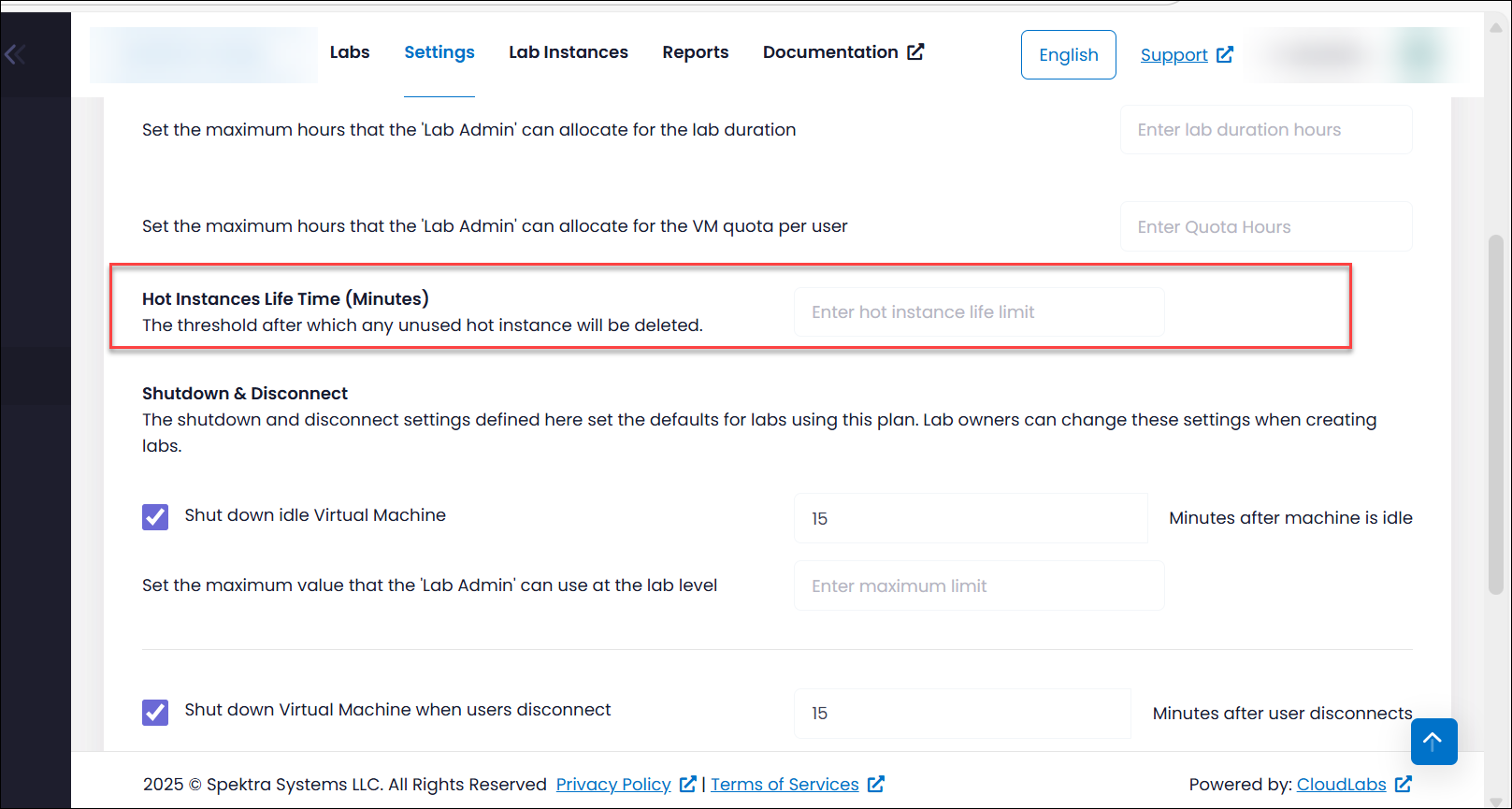
This helps balance readiness expectations with cost efficiency and saves time for the users.
Enhanced VM Status Tracking
We’ve made improvements to ensure VM status information is more accurate and consistent across the portal. On the Users page, VM status now updates more reliably and stay in sync when virtual machines are started or stopped.
Key improvements:
We have resolved inconsistencies between the Creating and Starting states during VM lifecycle transitions. When a deallocated VM is started, it now correctly moves to the VM Starting state and then transitions to VM Running. Similarly, when a VM is stopped, it transitions from VM Deallocating to VM Deallocated, ensuring accurate and consistent status updates across the portal.
Stop actions now accurately reflect real-time, Azure-triggered events, with frequent status synchronization to ensure real-time VM state information across the portal.
With these improvements, we can better understand the real-time activity and status of their virtual machines.
Language and Localization Enhancements
The portal user experience has been enhanced with improved multilingual support to provide a more accessible and inclusive learning environment, making it easier for non-English speakers to navigate and utilize the platform effectively.
Improvements have been made across UI labels and user flow text to ensure better clarity and consistency across languages.
Expanded supported languages:
Portuguese
Italian
The portal now supports the following languages:
English
Spanish
French
Japanese
Korean
Chinese (Simplified)
Chinese (Traditional)
German
Italian
Portuguese
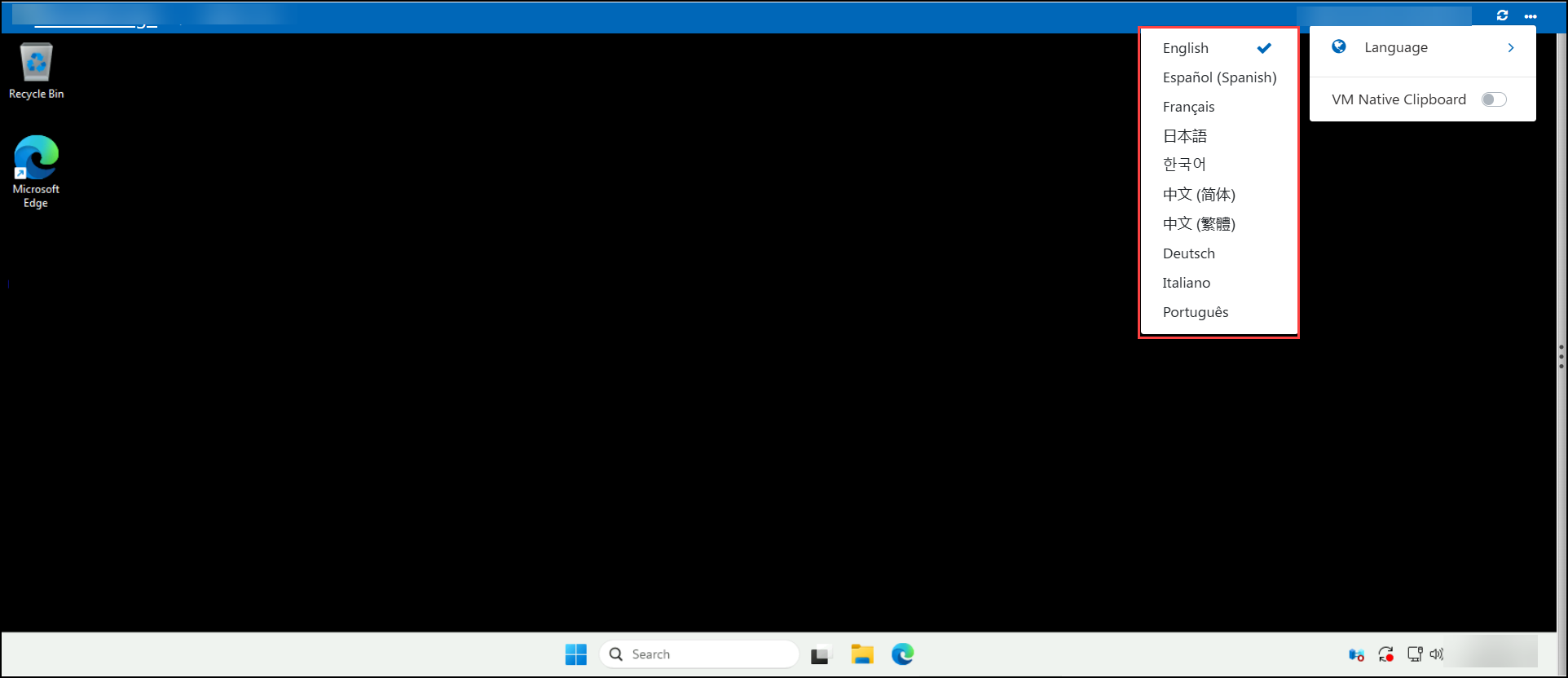
Users can select their preferred language from the User Environment page, allowing them to navigate and learn in the language they are most comfortable with.