Releases:
Explore the latest feature and updates to enhance your CloudLabs experience:
Section | Link |
|---|---|
Enhanced Lab Instances Page with VM Status Visibility and Control | |
Preparing Images for Generalization | |
Restricted Special Character Usage in Password Field |
Enhanced Lab Instances Page with VM Status Visibility and Control
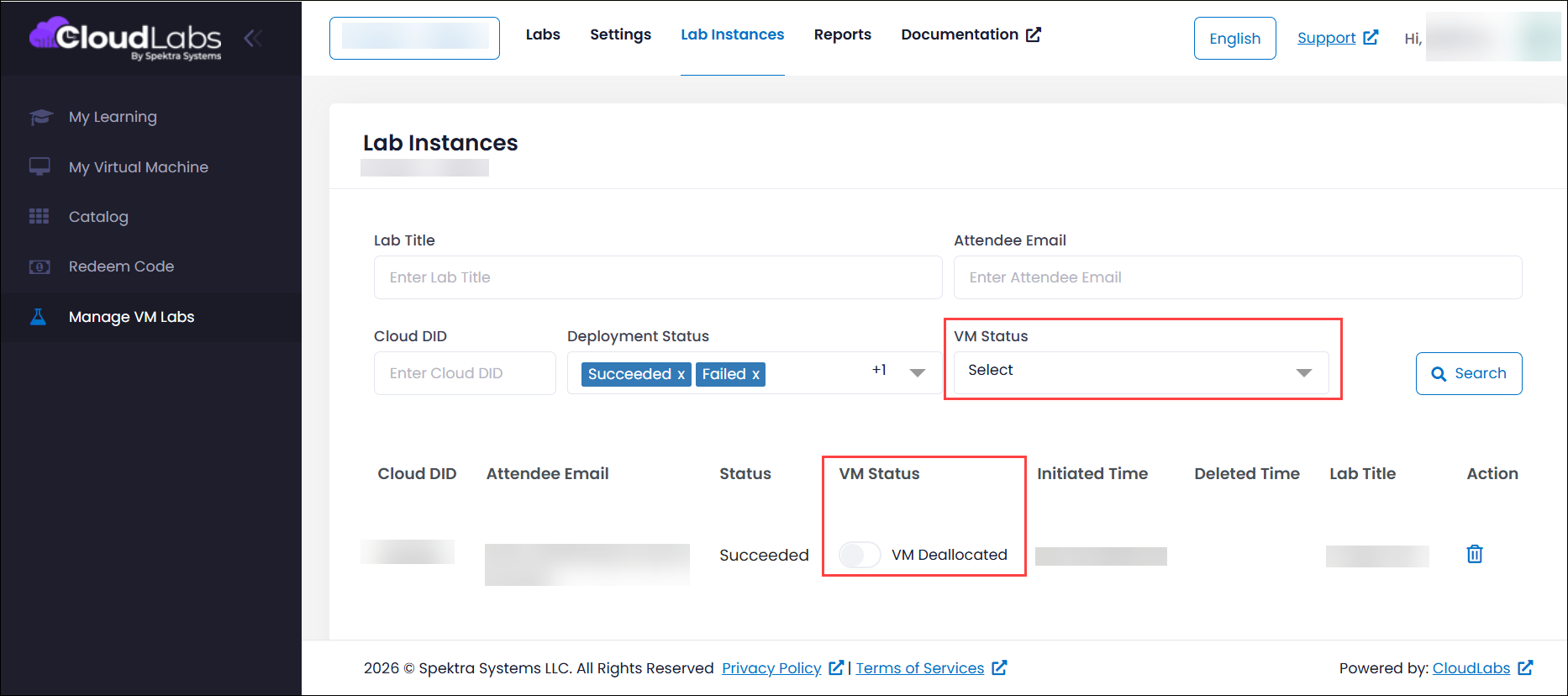
To simplify monitoring and tracking, we’ve enhanced the Lab Instances page to provide a clearer, more comprehensive view of your deployments. You can now easily access the details such as the lab name, associated user information, and the current VM status whether it is running or deallocated all in one place. In addition, the page now allows you to directly manage your deployments by performing start and stop operations without needing to navigate into the lab, making the overall experience more efficient and user-friendly.
Preparing Images for Generalization
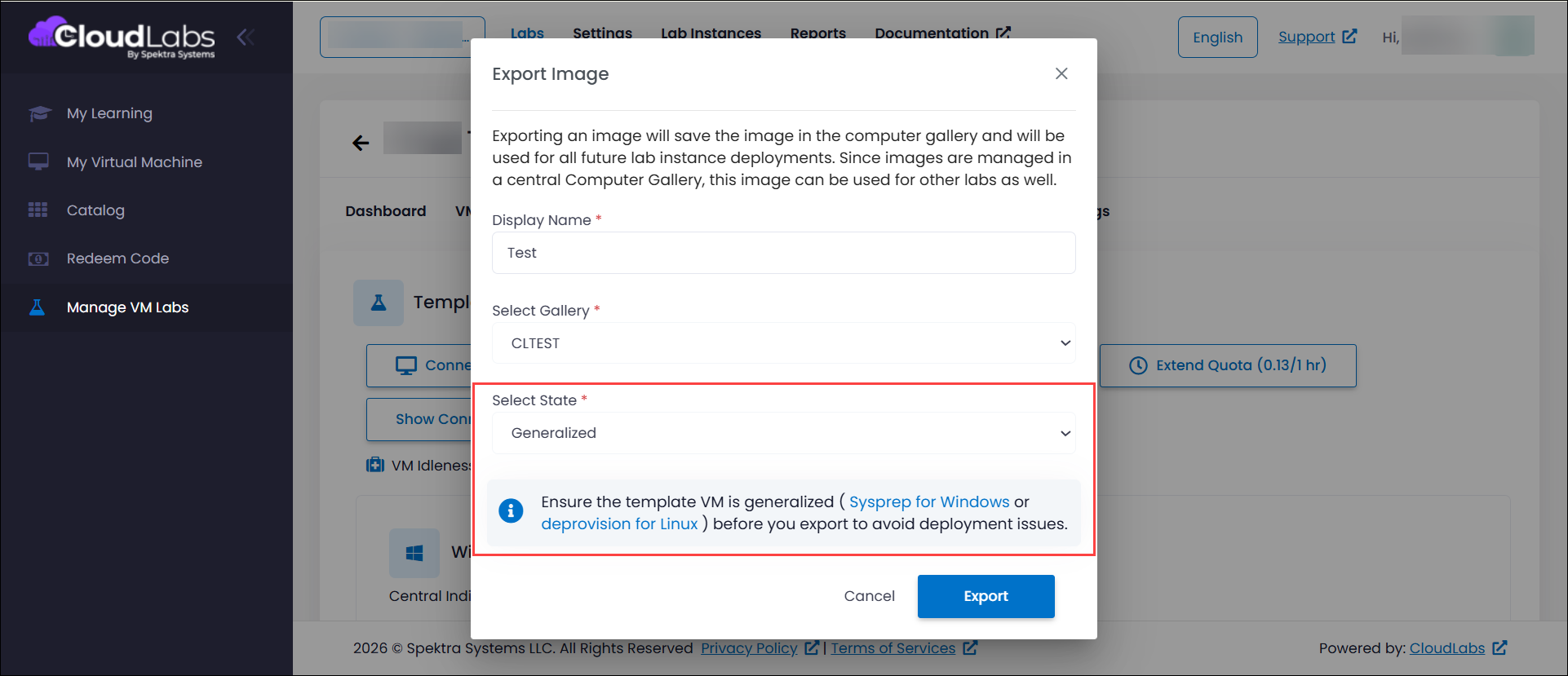
Preparing an image for generalization is a critical step to ensure a seamless out-of-the-box experience when deploying custom images. By properly customizing and configuring your image before capturing it, you can avoid common issues that arise from incomplete or incorrect preparation. To simplify this process, a reference note with detailed step-by-step guidance has been provided, helping you understand how to prepare your image effectively prior to generalization. Following these recommended practices not only streamlines deployment but also reduces the time spent troubleshooting, enabling a more consistent and efficient experience across environments.
Restricted Special Character Usage in Password Field
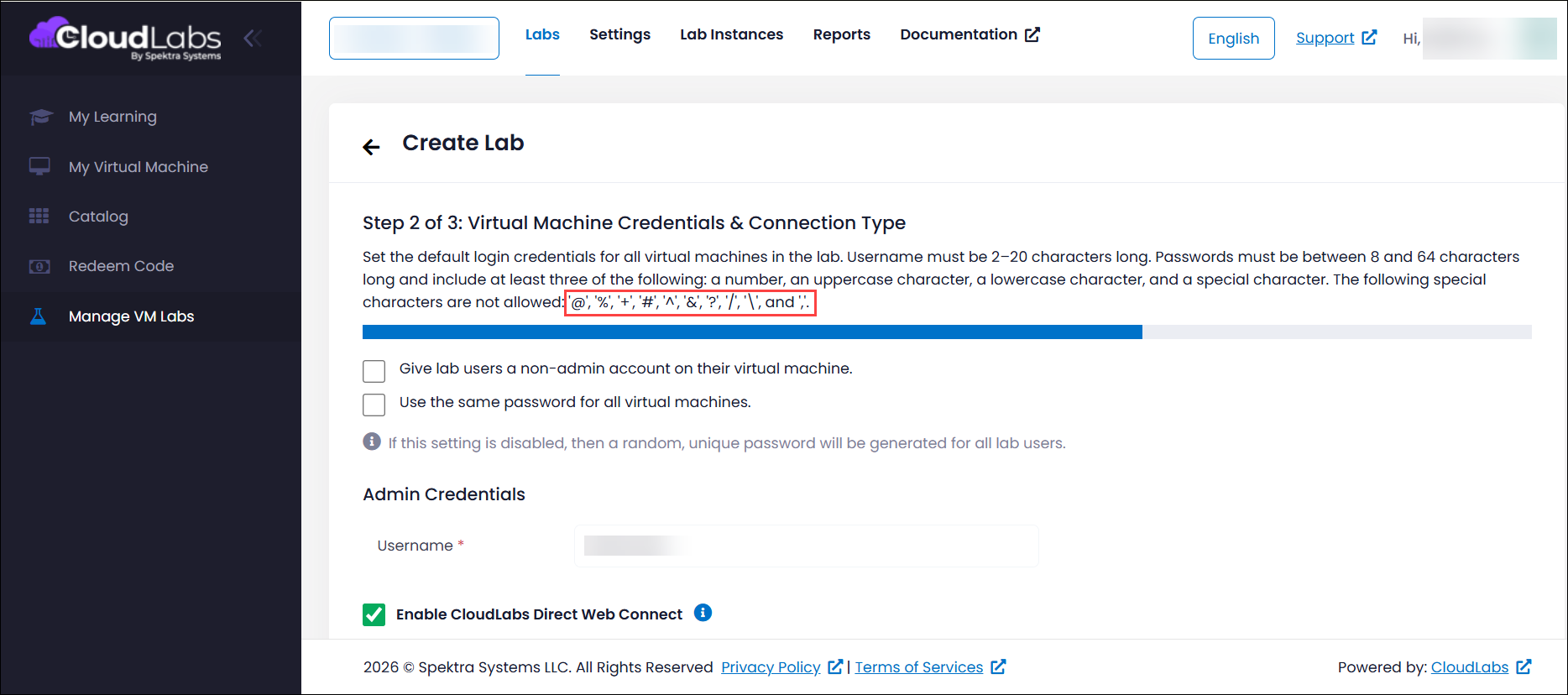
To ensure reliable access to virtual machines and a smooth lab deployment experience, certain special characters are restricted in the password field during lab creation. While a few special characters may appear in reference notes, it is recommended not to use them when setting passwords, as they can cause compatibility issues particularly when accessing VMs through CloudLabs Direct Web Connect via RDP over HTTP. To prevent such issues, the system proactively blocks the use of these unsupported characters in passwords. Following this guideline helps avoid post-deployment access problems and ensures a consistent and trouble-free user experience.