Releases:
Explore the latest feature and updates to enhance your CloudLabs experience:
Section | Link |
|---|---|
Idle Tracker Installation Failure Logs | |
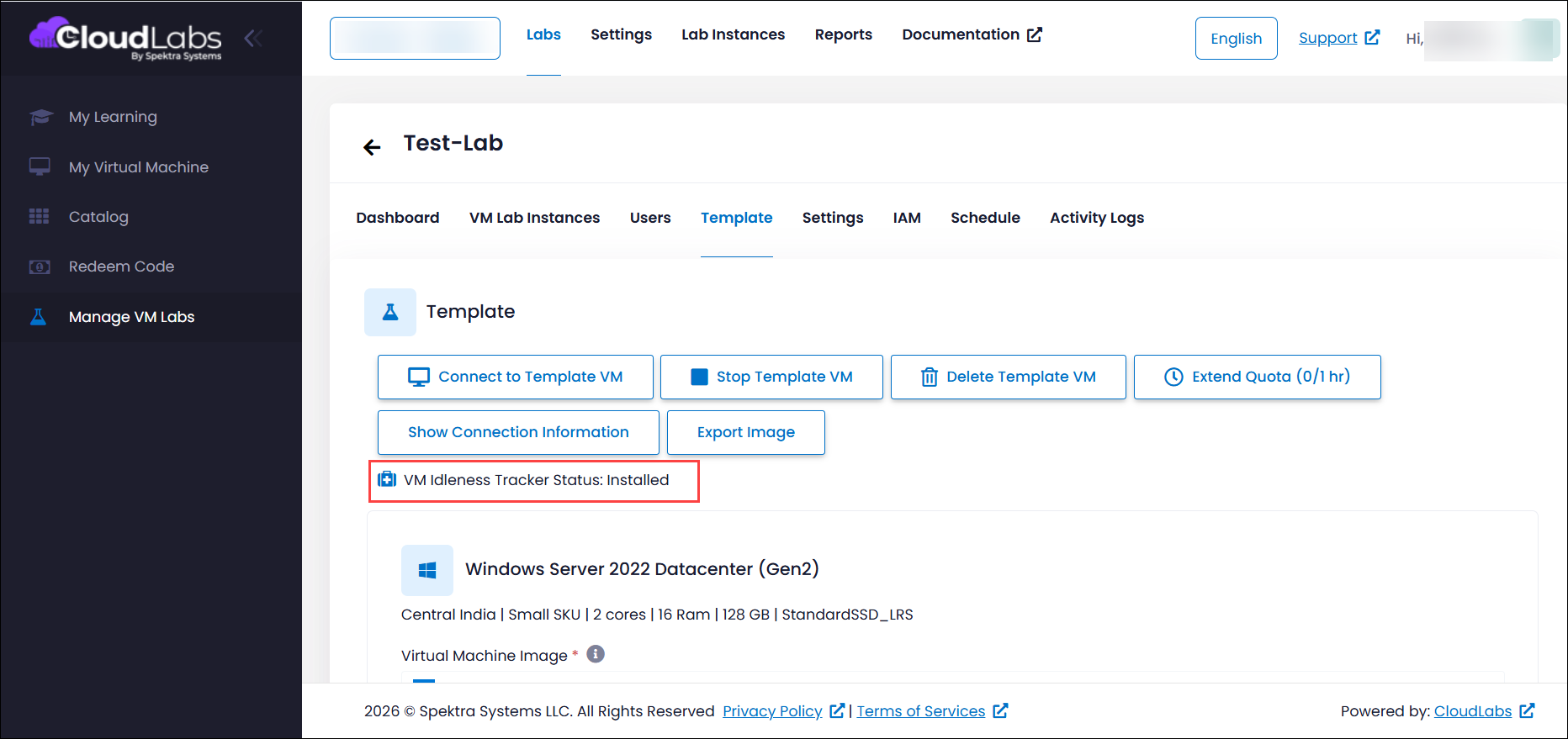
Template VM Idle Tracker Status |
Idle Tracker Installation Failure Logs
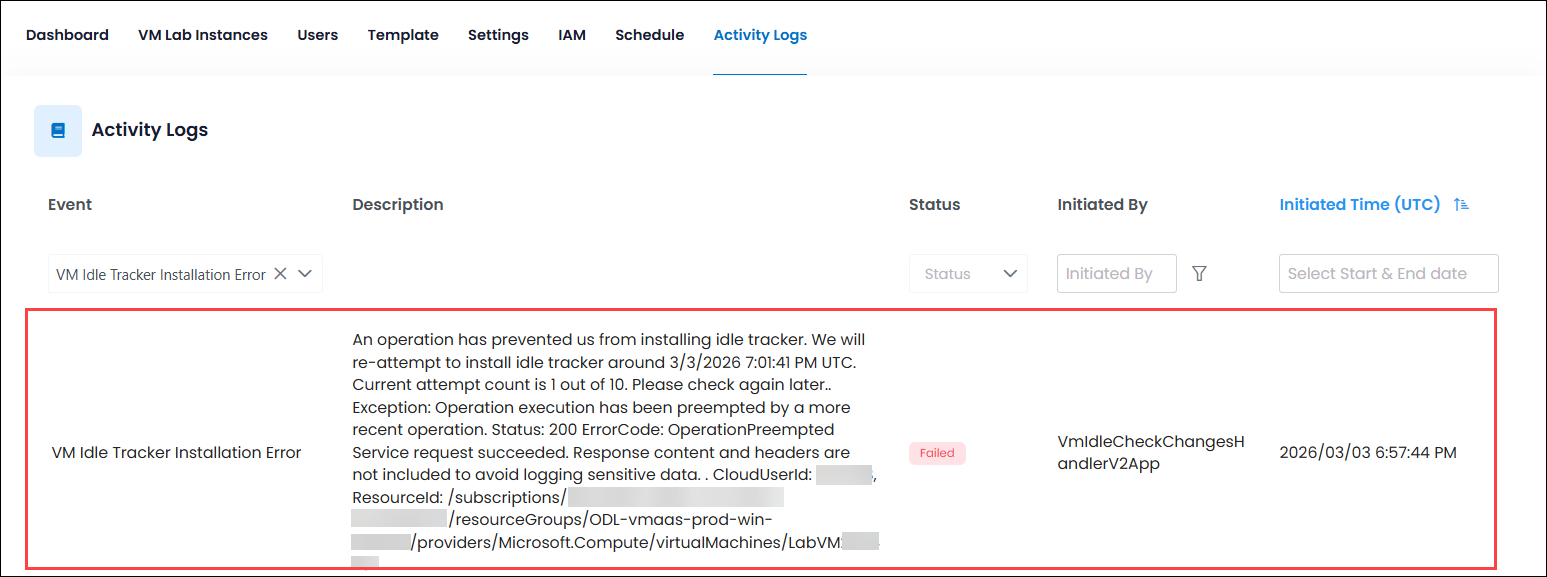
The Idle Tracker Installation Failure Logs are now available on the CloudLabs Portal to provide better visibility into installation status and troubleshooting. Whenever a VM is provisioned, the Idle Tracker may take up to 2–3 minutes to install and start functioning. If the installation completes successfully on the first attempt, no logs will be shown, and this is expected behaviour. However, if there is an issue during installation, the activity log will display VM Idle Tracker Installation Error to help identify the problem. In cases where the initial installation fails and a re-attempt is made successfully, the log VM Idle Tracker Installation will appear, indicating that the Idle Tracker has been installed after retry. These logs are now visible in the activity section to help track and resolve any Idle Tracker-related issues efficiently.
Template VM Idle Tracker Status
The health status of the Idle Tracker is now visible for Template VMs, allowing you to quickly verify whether the Idle Tracker is installed and operating correctly. This update provides clear insight into the installation state, helping users confirm readiness at a glance and take action if the tracker is not properly set up. With improved visibility, managing and validating Template VM configurations becomes simpler and more efficient.